
Choosing the best A4 8 Label Template for 2026 is less about finding a popular download and more about matching the layout to your labels, printer, and software. An eight-label sheet often uses two columns and four rows, but spacing and label dimensions can vary by manufacturer. Check the packaging or product specifications before printing. A template that looks right on screen may still shift on paper.
Look for clearly stated label measurements, adjustable margins, and compatibility with the program you plan to use. Word-processing files are convenient for editing, while PDFs can help preserve layout—but neither guarantees a perfect fit on every printer. Print a test page on plain paper first. Hold it against the label sheet near a window, and compare each outline with the adhesive labels. Use actual size or 100% scaling; “fit to page” can quietly resize the grid. Small details matter.
For address labels, confirm that text stays readable without crowding the edges. For product labels, leave room for the information your design requires. A dependable template should make alignment predictable, not promise flawless results. Even careful setup can produce a slight offset. That is worth checking. This guide explores practical template features, printing checks, and common fit problems to help you choose an A4 8 Label Template that suits your real printing workflow—not just its preview.
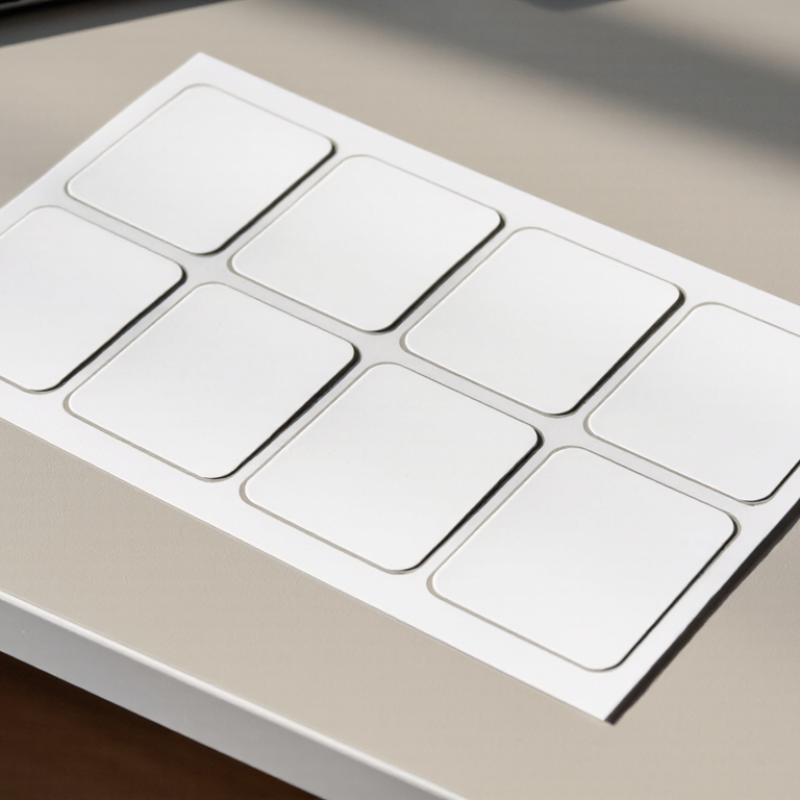
An effective A4 eight-label template begins with the sheet, not the software. A4 paper measures 210 by 297 millimetres. Most eight-label layouts use two columns and four rows, but dimensions are not universal. Each label may be 99.1 by 67.7 millimetres, with narrow gaps and outer margins. Those gaps matter. A small error can shift the bottom row enough to cut text. Reliable templates state the label width, height, pitch, margins, and corner shape. This information makes the layout verifiable and easier to adjust.
For 2026, the best template should be editable, print-aligned, and tested on the actual A4 stock. Set the page size to A4, use 100 percent scale, and disable “fit to page.” Print a plain-paper proof first. Hold it behind the label sheet and check each border against the light. Leave generous space for addresses, dates, or inventory codes. Use dark text, simple fonts, and at least 8–10 point type for small labels. I still make mistakes when I trust the preview too quickly; some printers add several millimetres of drift. Test the first and last labels, especially after changing margins. A practical template should also include safe zones, alignment guides, and a version date. The most attractive layout is not always the most reliable.
What Is the Best A4 8 Label Template for 2026?
A4 paper measures 210 × 297 mm under ISO 216. For eight labels, a 2-by-4 layout usually offers the clearest balance. A practical label size is about 99.1 × 67.7 mm, with consistent gaps between rows and columns. However, this size is not universal. Printers, adhesive sheets, and cutting tolerances can change the usable area. Leave at least 2–3 mm inside each edge as a safe print zone. Small text near the border often becomes the first visible failure.
The layout should include exact page margins, label width, label height, horizontal spacing, and vertical spacing. A 3 mm gap helps prevent ink from appearing across adjacent labels. Text should remain readable at normal hand distance, while barcodes need clear quiet zones. The GS1 General Specifications emphasize accurate sizing, contrast, and surrounding space for machine-readable symbols. Practical prepress testing also shows that a 300 dpi design provides sharper small icons and thin rules.
Smithers’ 2024 analysis of the global labels market highlights shorter production runs and variable information as continuing industry trends. That makes editable A4 templates more valuable in 2026. Still, an attractive screen preview can mislead. I would print one test sheet first. Measure the top-left label, then compare the bottom-right label. No template is perfect. Slight printer drift remains easy to underestimate. A dependable design keeps fields aligned, uses restrained decoration, and avoids placing essential details too close to cutting lines.
This reference layout uses an A4 portrait page with 8 equal labels arranged in 2 columns and 4 rows. The label and spacing dimensions below are a calculated layout specification, not a claim that all 8-label sheets use the same format.
| Layout feature | Specification | Calculation or note |
|---|---|---|
| Paper size | A4 portrait, 210 × 297 mm | ISO 216 A4 dimensions |
| Label count and arrangement | 8 labels; 2 columns × 4 rows | Equal-sized labels |
| Individual label size | 99 × 68 mm | Width × height |
| Horizontal spacing | 4 mm between columns | 4 + 99 + 4 + 99 + 4 = 210 mm |
| Vertical spacing | 2 mm between rows | 4 × 68 + 3 × 2 = 278 mm |
| Page margins | 4 mm left/right; 9.5 mm top/bottom | Leaves 278 mm for rows and vertical gaps |
| Label area | 6,732 mm² per label | 99 × 68 mm |
| Label | Row | Column | Left position (X) | Top position (Y) | Width × height |
|---|---|---|---|---|---|
| 1 | 1 | 1 | 4 mm | 9.5 mm | 99 × 68 mm |
| 2 | 1 | 2 | 107 mm | 9.5 mm | 99 × 68 mm |
| 3 | 2 | 1 | 4 mm | 79.5 mm | 99 × 68 mm |
| 4 | 2 | 2 | 107 mm | 79.5 mm | 99 × 68 mm |
| 5 | 3 | 1 | 4 mm | 149.5 mm | 99 × 68 mm |
| 6 | 3 | 2 | 107 mm | 149.5 mm | 99 × 68 mm |
| 7 | 4 | 1 | 4 mm | 219.5 mm | 99 × 68 mm |
| 8 | 4 | 2 | 107 mm | 219.5 mm | 99 × 68 mm |
Position measurements are taken from the top-left corner of the page to each label’s top-left corner. Confirm the actual sheet dimensions and printer alignment before printing.
For an A4 sheet with eight labels, the best template depends on what each label must do. An evenly spaced, two-column layout suits shipping labels and storage bins, where quick placement matters. A larger writable area helps when staff add dates or handling notes by hand. For product identification, smaller labels can conserve stock, but crowded text becomes hard to read. That trade-off is easy to underestimate.
Smithers’ industry report, The Future of Labels to 2029, valued the global label market at about US$49.9 billion in 2024. That scale reflects varied uses, not one ideal format. Match the template to the printer, label dimensions, and task. Check the sheet’s margins and gaps against a ruler, then print a test on plain paper. Hold it over the label sheet against a lamp. Slight misalignment shows up quickly. GS1 guidance on barcode quality also makes clear that symbol size, contrast, and clear space affect scanning. A neat-looking template is not enough. I would choose a consistent eight-label grid for routine office work, but leave room for adjustment; printer feed can be imperfect.
Compare theoretical label-cell dimensions for three ways to arrange eight labels on an A4 sheet (210 × 297 mm). Larger cells suit larger labels; actual printable labels will be smaller where margins and gaps are needed.
How to choose: A 2 × 4 layout gives balanced cells of 105 × 74.25 mm, while 1 × 8 creates long, narrow cells and 4 × 2 creates tall, narrow cells. These are calculated grid-cell dimensions, not universal label sizes; check your printer’s margins and template specifications before printing.
What Is the Best A4 8 Label Template for 2026?
An effective A4 eight-label template must match the printer and the label stock. The common layout uses two columns and four rows. However, equal rectangles are not enough. Measure the label width, height, horizontal gap, vertical pitch, and sheet margins before designing. A laser printer may tolerate heavier stock, while some inkjet printers need absorbent, ink-receptive surfaces. Always check the material specification.
Small details matter. Set the artwork area inside the adhesive edge to reduce trimming errors. Avoid placing fine text near the label boundary. A 2–3 mm safety area is practical, but it should follow the supplier’s instructions. The Smithers report, The Future of Digital Print for Packaging to 2028, forecasts digital packaging print value to reach about $36.9 billion by 2028. This growth suggests more variable data and short-run printing, making editable A4 templates increasingly useful. Grand View Research valued the global self-adhesive labels market at approximately $49.9 billion in 2023. Material choice is clearly not a minor decision.
Print a plain-paper proof first. Place it behind the label sheet and hold both against light. I have found that screen alignment can look perfect yet shift by one millimetre on paper. It happens. Recheck printer scaling, especially “fit to page” settings. Use matte stock for readable small text, and test glossy stock for smearing. The best 2026 template is not the most decorative one. It is the one that survives real printing, handling, and occasional human error.
An A4 eight-label sheet usually uses two columns and four rows, but dimensions can differ. Measure the actual sheet before opening a template. Record the label width, height, gaps, side margins, and top margin. A ruler helps. Small errors become obvious after printing.
Create a document sized to A4: 210 by 297 millimetres. Use a table or fixed text boxes for the eight positions. Keep text at least 3 millimetres from each label edge. Choose a clear font, strong contrast, and consistent line spacing. For addresses, product codes, or storage notes, test the longest line first. Short names rarely reveal layout problems.
Print one test page on plain paper. Place it behind the label sheet and hold both against a window. This quickly shows whether the text sits too high or crosses a cut line. Select 100 percent scale and disable “fit to page.” Check the printer’s non-printable margins, too. I have seen a perfect screen preview shift several millimetres on paper. That mistake is easy to miss. Review the top-left label, then compare the remaining seven. A slightly uneven result may come from the template, the printer, or the sheet itself. Save an editable version and a fixed PDF after checking the date, spelling, alignment, and barcode readability. Recheck the file after any software update in 2026.