
Skip to content

How to Choose the Right Thermal Printer Paper in 2026

Choosing Thermal Printer Paper in 2026 is not just a matter of finding the cheapest roll. Paper width, core size, thickness, coating, and printer compatibility all affect whether receipts feed cleanly and remain readable. A roll that fits the holder can still produce faint text, jam during a busy shift, or fade under heat and sunlight. Small details matter.

The market is growing, but growth figures do not tell you which paper suits your printer. Grand View Research’s Thermal Paper Market Size, Share & Trends Analysis Report estimated the global market at USD 4.11 billion in 2023 and projected a 5.2% compound annual growth rate from 2024 to 2030. Treat that as market context, not proof that every product meets the same performance standard. Check your printer manual and supplier specifications for roll dimensions, paper weight, and recommended storage conditions. Then consider the real setting: a hot kitchen, a sunlit checkout counter, or a warehouse label exposed to handling. Each calls for different durability priorities. Tiny detail, big consequences. I would not choose on price alone; however, premium paper is not automatically the right answer either. The useful choice balances reliable printing, readable output, application needs, and total cost. This guide explains how to compare those factors and ask suppliers more precise questions.
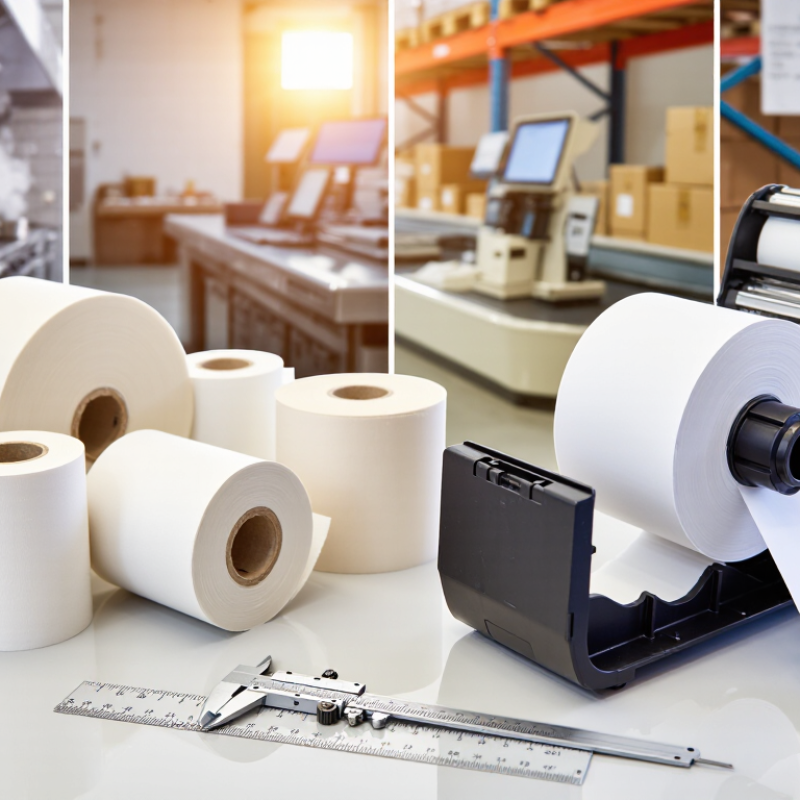
How to Choose the Right Thermal Printer Paper in 2026

How Thermal Printer Paper Works and What Types Are Available

Thermal printer paper has a heat-sensitive coating that reacts when it passes over a printer’s heated printhead. Tiny heating elements create dark marks without ink or a ribbon. The image forms only where the paper receives heat. Print clarity can vary with printer settings, paper coating, and storage conditions. A receipt left on a sunny car seat may fade sooner than one kept in a drawer. Heat matters.

Common options include standard direct thermal rolls, top-coated papers, and thermal paper made for labels or tickets. A topcoat can help protect the image from moisture, oils, and friction, though it does not make every print permanent. Thermal transfer printers work differently: they use a ribbon to transfer ink onto compatible paper or label stock. Check your printer’s specifications before buying; roll width, core size, and paper type must fit. A small test roll is useful. I have seen paper that looked identical perform differently in the same machine, so appearance alone is not a reliable guide.

How to Match Paper Width, Core Size, and Roll Length to Your Printer

A thermal roll can look right on a shelf and still jam in the printer. Match its width to the printer’s stated media size, not just the old roll’s appearance. Measure across the paper edge, excluding any loose curl. A few millimeters can cause skew, poor sensor alignment, or unprinted margins. Measure twice. If the manual lists a supported width range, stay within it; do not assume a wider roll will feed properly.

Check the core’s inner diameter against the printer’s spindle or holder. Some printers accept adapters, while others require a specific core size. Also verify the maximum outer roll diameter. A roll may have the right width and core but still fail to fit beneath the cover. That matters. Longer rolls usually have a larger diameter, though paper thickness affects the final size.

Choose roll length based on both printing volume and available space. A longer roll means fewer changes, but it can create feed drag or prevent the cover from closing. Compare the full specifications: width, core diameter, and maximum roll diameter. Then test one roll and print several receipts or labels. Check alignment and feeding near the end, too. That small check catches mismatches that a quick visual comparison can miss.

How to Compare Paper Grades, Coatings, and Print Durability

How to Choose the Right Thermal Printer Paper in 2026

Paper grades differ in thermal sensitivity, surface smoothness, and coating quality. A heavier sheet may feel sturdier, but thickness alone does not guarantee a durable image. For receipts, compare how clearly each grade prints at your printer’s normal speed and heat setting. For labels, check that the face stock and adhesive suit the surface and handling conditions.

Coatings matter when prints face friction, moisture, skin oils, or bright light. A protective topcoat can help, but it cannot prevent every type of fading. Think about where the paper will go: a receipt in a cool drawer has different needs from a parcel label rubbed during transit. Test samples with realistic handling, including a fingernail rub and a brief exposure to sunlight. Heat changes everything. If print is too dark, smudges, or fades quickly, adjust printer settings or compare another grade. I still find that a small trial run can reveal problems a specification sheet misses.

Tips:

Print a few samples, then scan them and check readability after several days. Keep samples beside a warm window or in a busy pocket if those conditions match actual use. Record the grade, settings, and results; otherwise, comparisons can get fuzzy.

How Usage Conditions and Regulations Affect Paper Selection

How to Choose the Right Thermal Printer Paper in 2026

How Usage Conditions and Regulations Affect Paper Selection

A roll that works at a quiet checkout may fail beside a hot kitchen pass. Heat, humidity, sunlight, and frequent handling can fade thermal images or make them hard to read. Match the paper’s stated image life to how long records must remain legible. For outdoor labels, ask suppliers for test results under light and moisture exposure, not just indoor storage claims. Small details matter: roll width, core size, and coating must suit the printer.

Regulations also shape the choice. The European Commission’s REACH restriction limits bisphenol A in thermal paper to 0.02% by weight; the restriction has applied since January 2020. Check supplier declarations and ask which developer chemistry is used. A “BPA-free” label alone does not explain the full formulation or prove equivalent performance. That distinction is easy to miss.

For receipts handled all day, consider paper designed to reduce unwanted transfer, and follow the supplier’s storage guidance. The U.S. National Institute of Standards and Technology notes that heat, light, and humidity can affect document stability; thermal print is especially sensitive to its environment. Keep spare rolls sealed, away from windows and heaters. Test a sample in the actual printer, then check legibility after routine handling. I still wouldn’t assume one paper suits every site.

How to Test, Store, and Maintain Thermal Paper Rolls

Choosing thermal paper in 2026 involves more than checking roll size and price. Test a sample in the actual printer before ordering in bulk. Print fine text, barcodes, and solid black areas. Check contrast immediately, then again after 24 hours. Rub the print lightly with a dry finger. Fading, gray marks, or loose coating suggest poor quality.

Storage changes performance. Keep rolls in their original packaging, away from sunlight, heaters, moisture, and cleaning chemicals. A stable room near 15–25°C and 40–60% relative humidity is generally suitable. Store rolls upright or flat without heavy pressure. Avoid leaving them in delivery vehicles or near windows. Heat can activate the coating early. Humidity can soften the paper and cause feeding problems.

Maintenance protects both paper and printer. Remove dust from the roll path with a soft, lint-free cloth. Clean the printhead only when the equipment instructions allow it, using the recommended solution and a fully cooled printer. Never scrape the printhead with metal tools. I once blamed a paper roll for pale receipts, but the real issue was a dirty printhead. The test was imperfect, because I changed two variables at once. Now I record the roll batch, storage conditions, print settings, and test date. Small records make recurring faults easier to identify. Replace damaged, curled, or compressed rolls before they enter daily use.

How to Choose the Right Thermal Printer Paper in 2026

Recommended storage conditions for helping preserve thermal paper before use.

Keep rolls in a cool, dry place away from direct sunlight, heat, and chemicals. These are general guidance ranges; follow the paper supplier’s storage specifications when available. For a quick quality check, print a sample and inspect its contrast and legibility before loading a new roll.

Call free on
0800 1954 538